Pricing
Please contact us for pricingDisclaimer
VISUAL is a registered trademark of Infor.VISUAL® Manufacturing Online Sales Tax
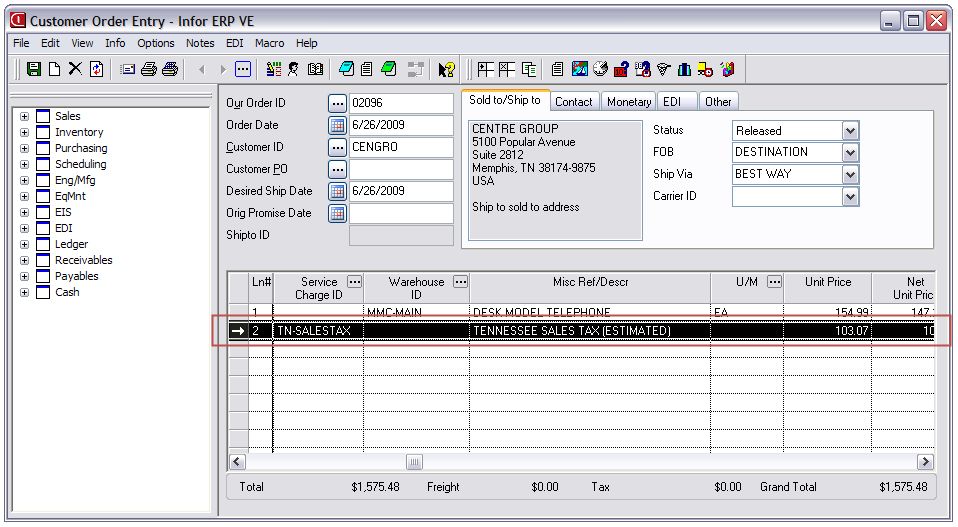
The Online Sales Tax Reporting and Calculation application for Infor VISUAL® Enterprise ERP / Infor 10 ERP Express utilizes our partnership CCH (http://tax.cchgroup.com), a leader in online sales tax calculating, tracking, and reporting to bring their online services directly into VISUAL®. Simply select the packlists you wish to calculate sales tax for and various details from your packlist are submitted to the CCH online services. The resulting amount will be written as a misc charge line to the packlist and will then be carried over to your invoice.
Description
Video Demo
How It Works
Upon shipment of a customer order, we transmit the details of the order to your CCH account to perform the calculation and return this value to Visual® as a miscellaneous line on the packlist. State to GL account mapping logic will ensure the line is recorded to the correct account. At this point the packlist will be generated to an invoice along with this new tax line, the transaction will be recorded in CCH, and all of your tax returns and reporting will be compiled automatically.
Implementation Options
We have built this product to support several different implementation scenarios depending on "where" and "how" you want it to operate. These different options are outlined below:
Option 1: Customer Order Entry Tax Assessment
If you wish to provide estimated sales tax at the customer order level, we support three options at this level:
Automatic
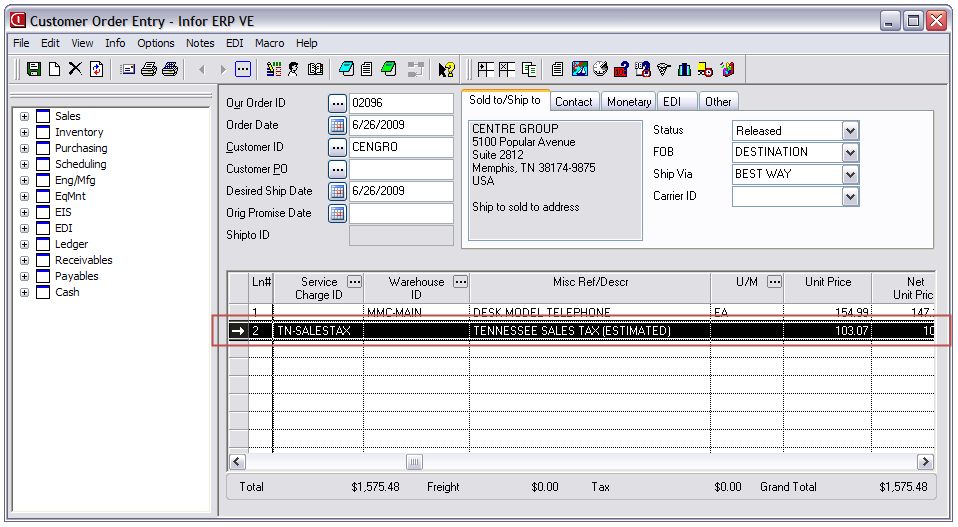
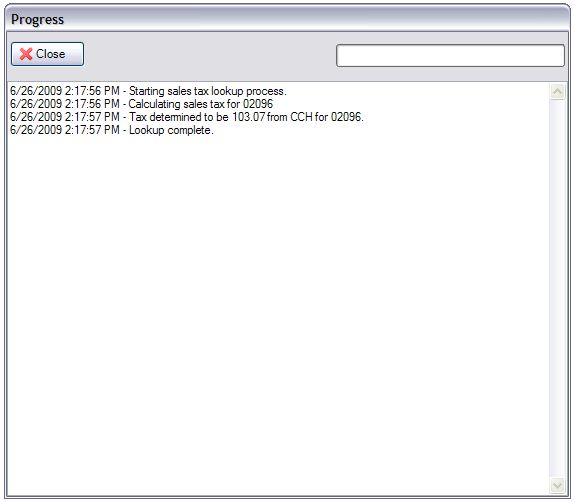
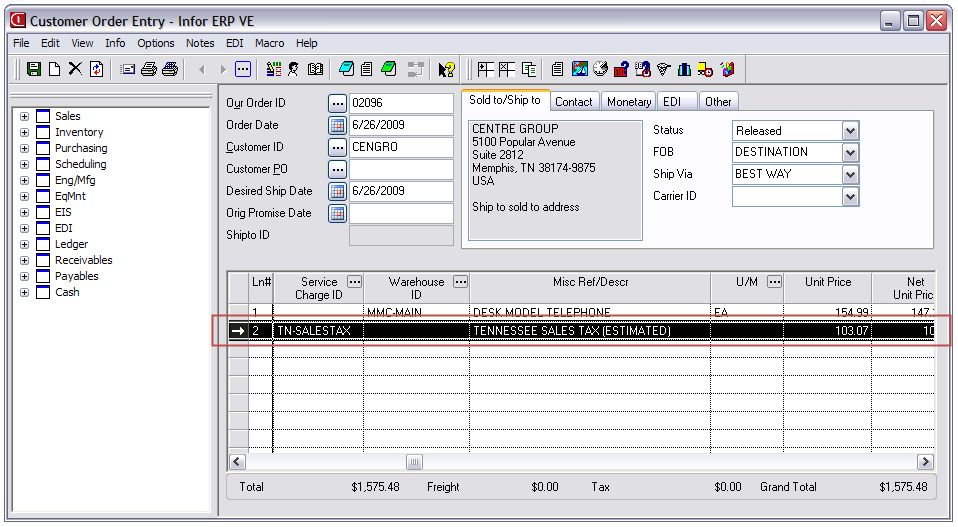
With this option we install our CCH integration in "silent" mode as an OnAfterSave macro in the Customer Order Entry module. In this mode, any time a new customer order is saved we will automatically transmit the data to CCH and add a misc line to the customer order for the estimated tax. You will need to refresh the screen before this new line shows.
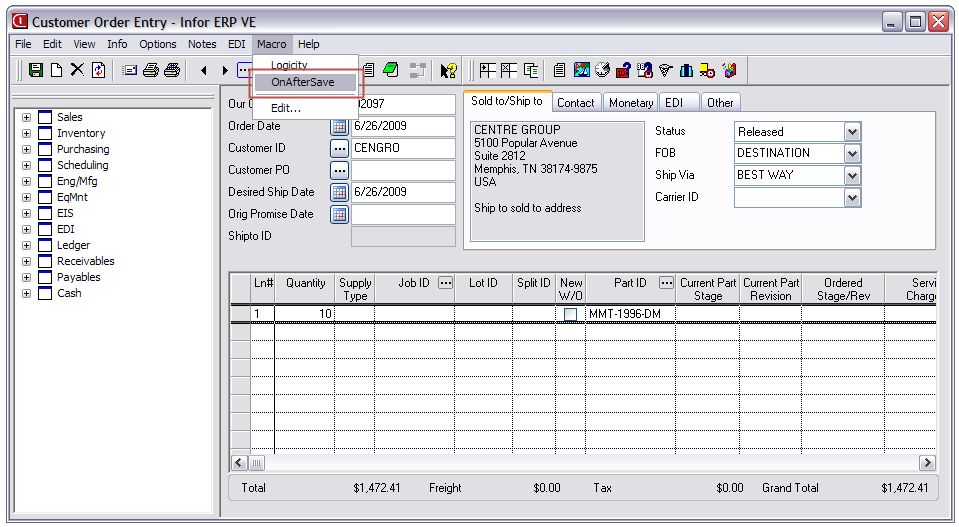 |
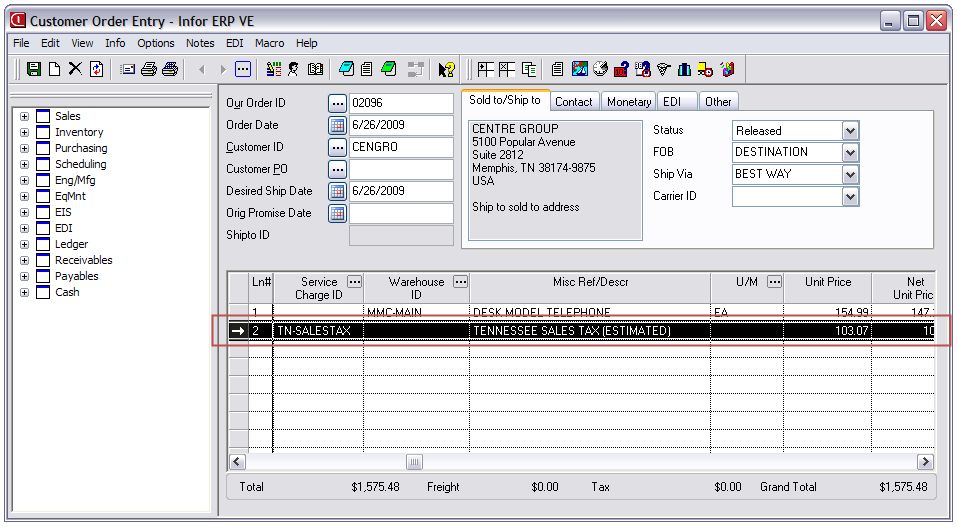 |
(Click to enlarge)
On-demand
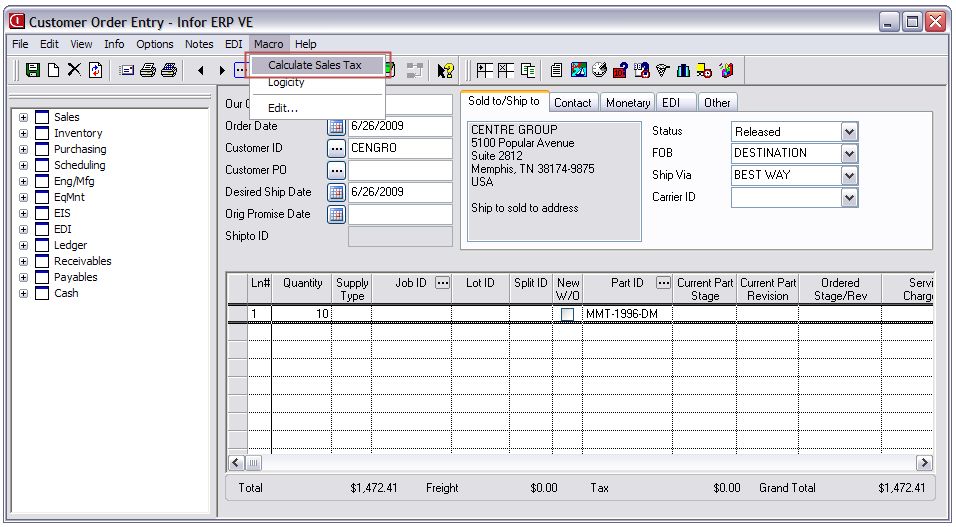
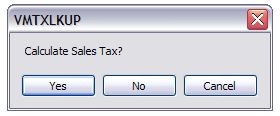
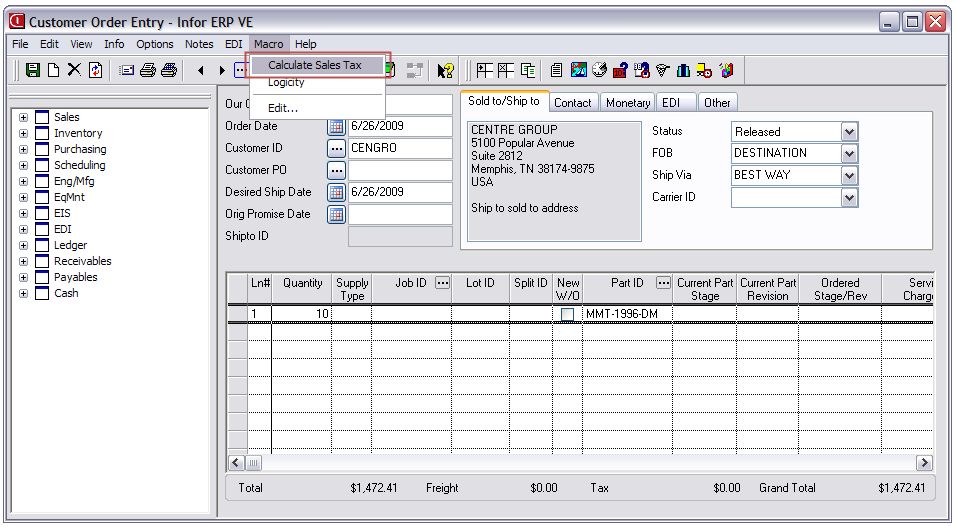
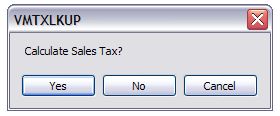
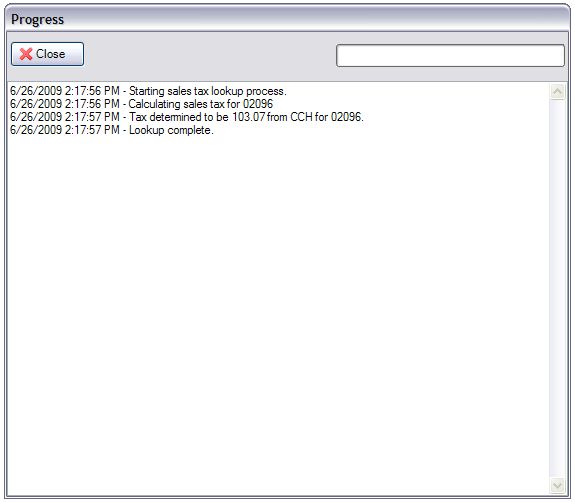
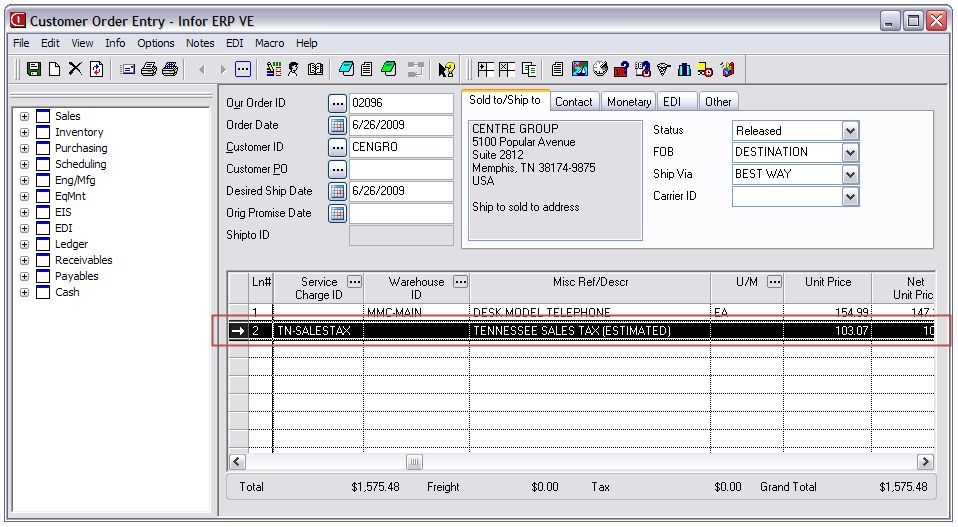
If you prefer to have sales tax assessed only upon demand, we can run the CCH integration in "interactive mode" as a macro named "Calculate Sales Tax". It will be functionally equivalent to the automatic mode.
 |
 |
 |
 |
(Click to enlarge)
Batch
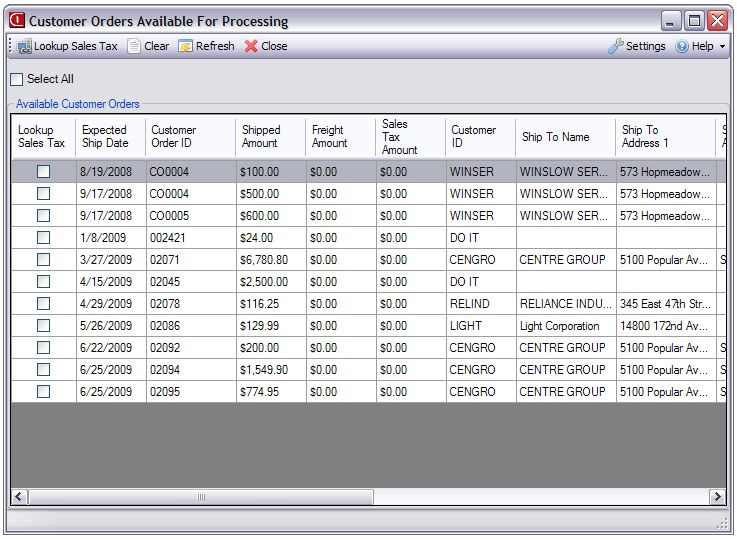
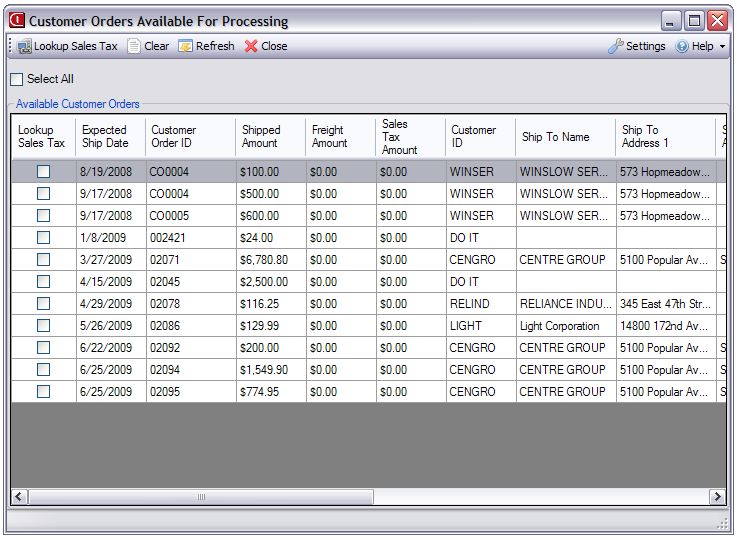
The last option is to assess all sales tax in batch. This method runs the CCH integration in "interactive mode" and returns all released or firmed customer orders for mass lookup:
 |
(Click to enlarge)
Option 2: Shipping Entry Tax Assessment
Regardless of whether you decide to provide an estimated sales tax at the time of order entry, you will need to utilize the Shipping Entry integration in order to accurately tax what was shipped. This integration has identical implementation options to the customer order entry module:
Automatic
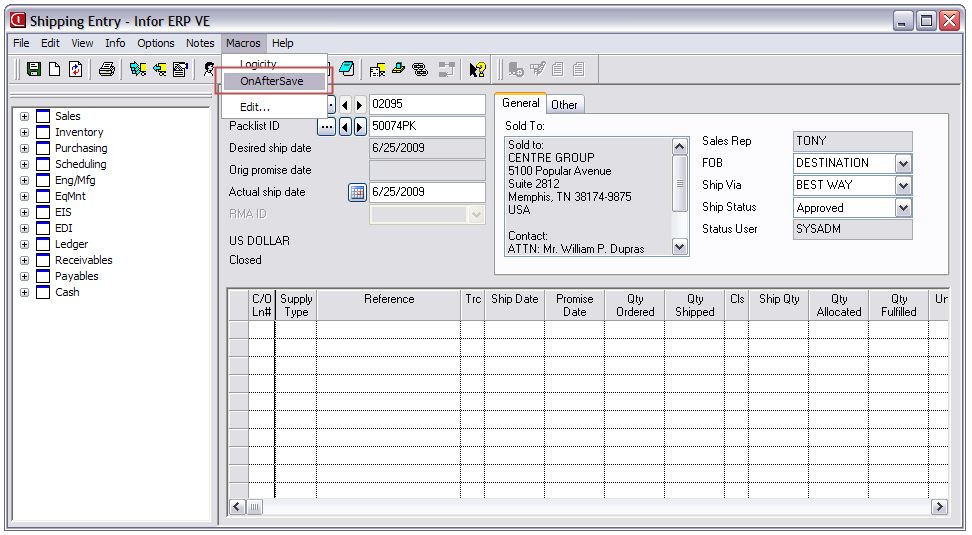
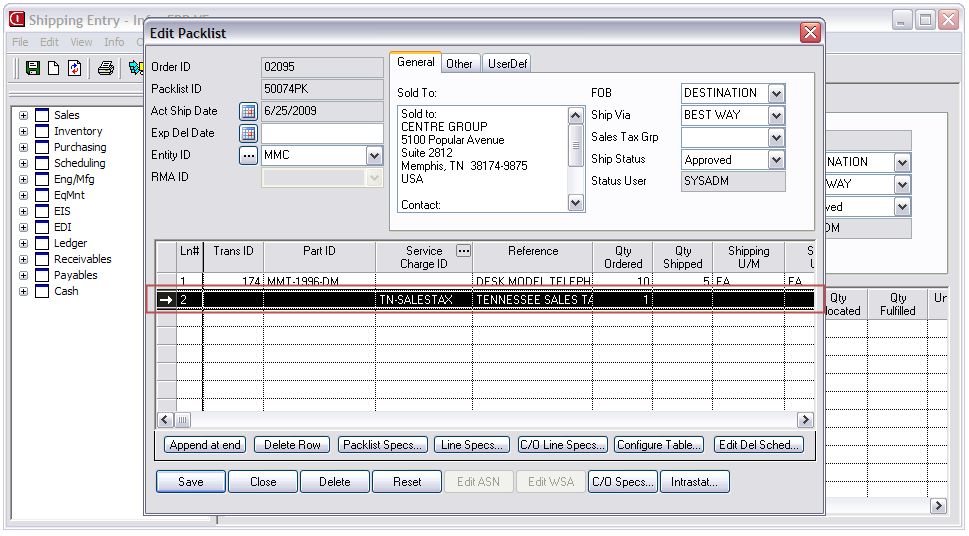
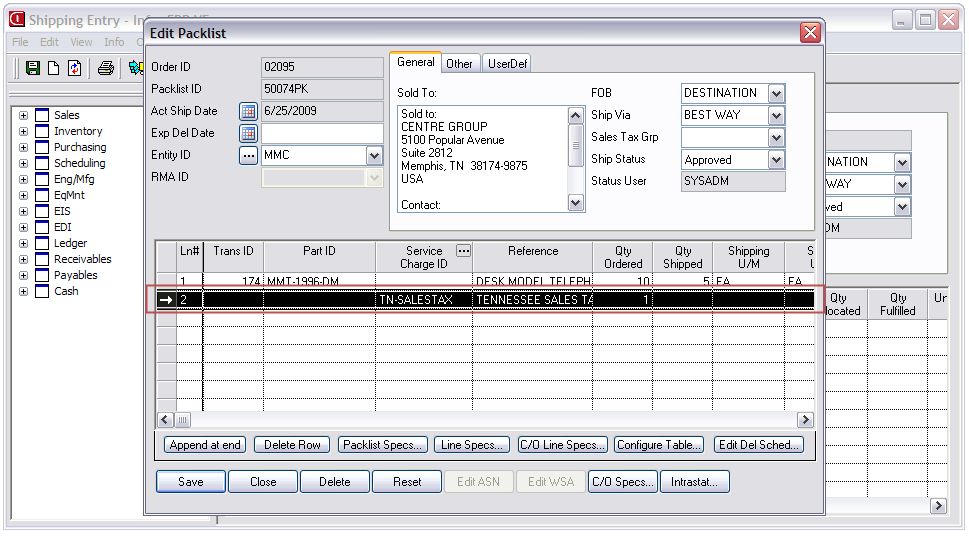
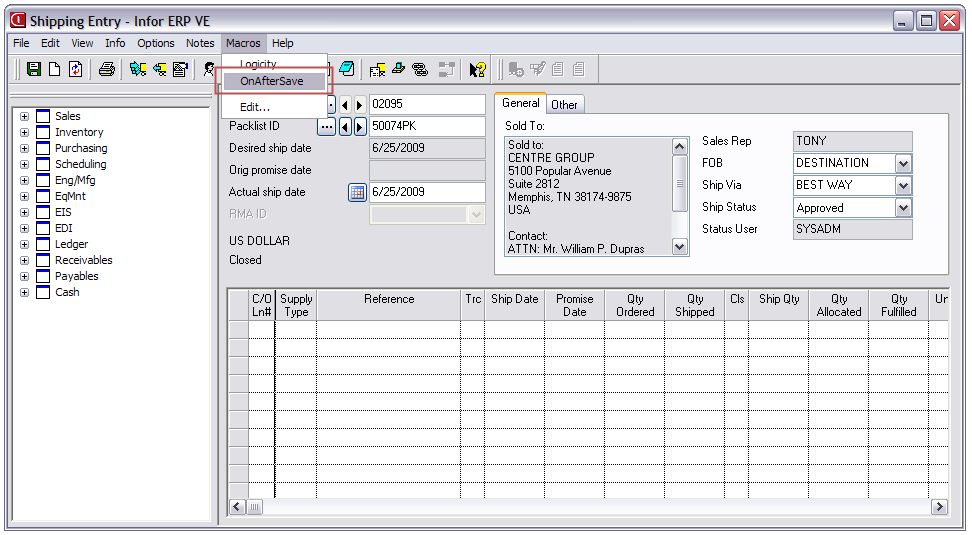
With this option we install our CCH integration in "silent" mode as an OnAfterSave macro in the Shipping Entry module. In this mode, any time a new shipment is saved we will automatically transmit the data to CCH and add a misc line to the packlist for the actual sales tax.
|
|
 |
(Click to enlarge)
On-demand
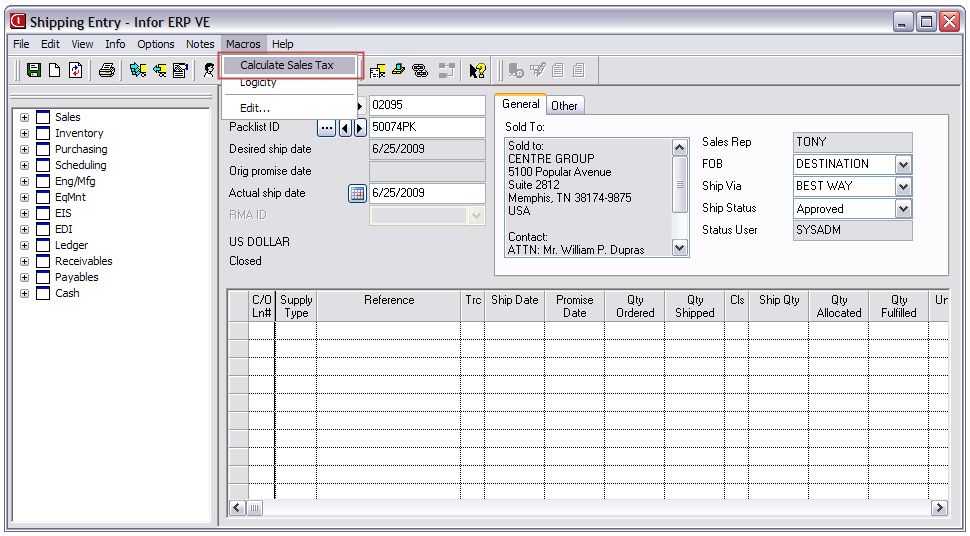
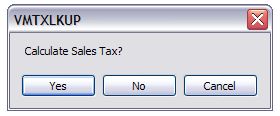
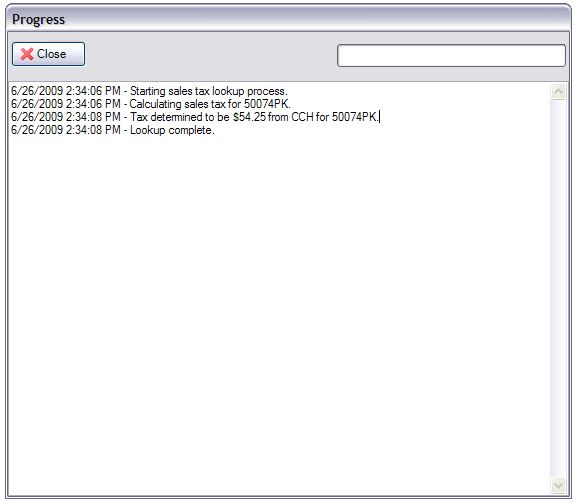
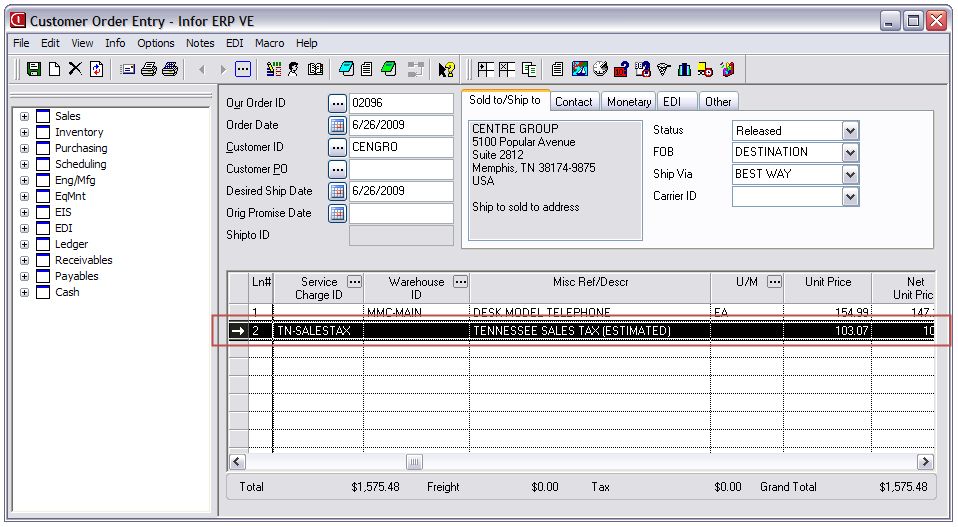
If you prefer to have sales tax assessed only upon demand, we can run the CCH integration in "interactive mode" as a macro named "Calculate Sales Tax". It will be functionally equivalent to the automatic mode:
|
|
|
|
|
 |
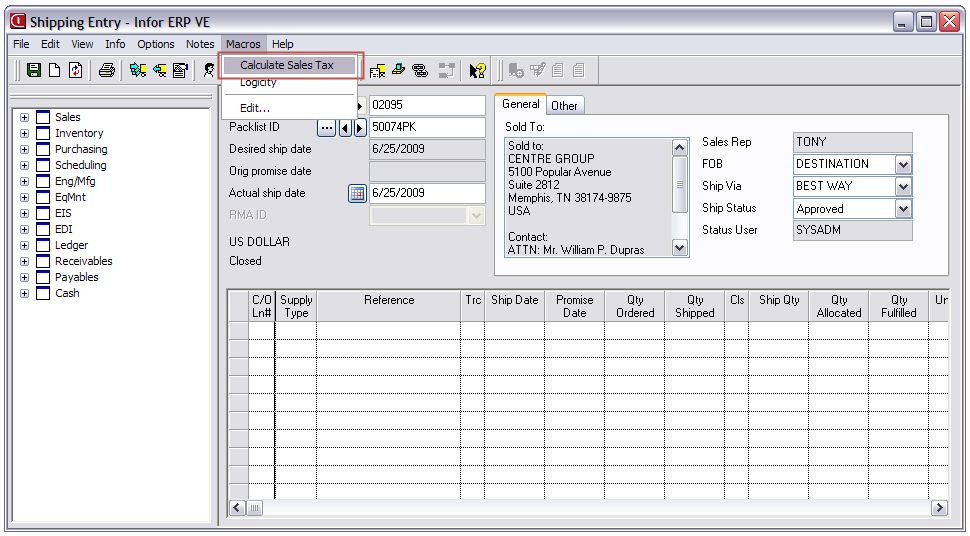
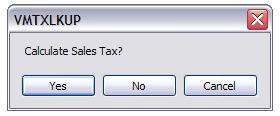
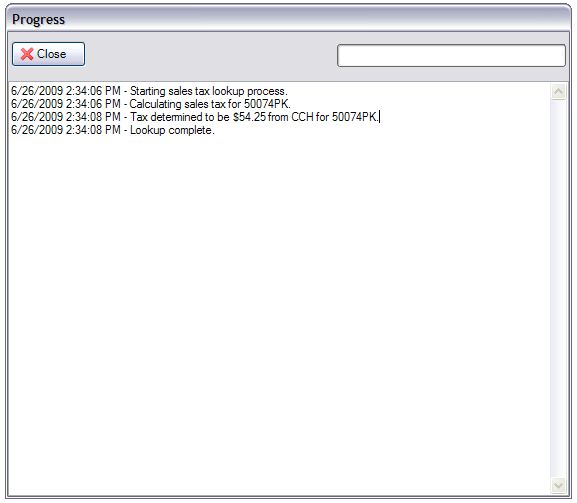
(Click to enlarge)
Batch
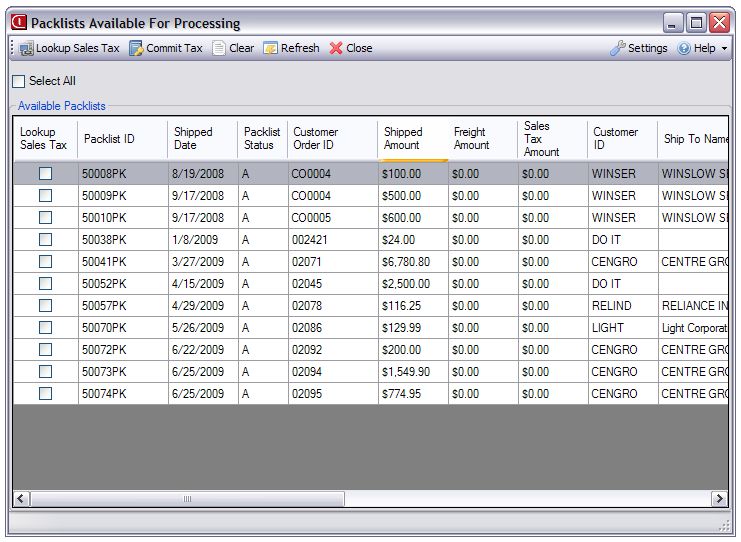
The last option is to assess all sales tax in batch. This method runs the CCH integration in "interactive mode" and returns all packlists that have not yet been invoiced or had their sales tax committed for mass lookup:
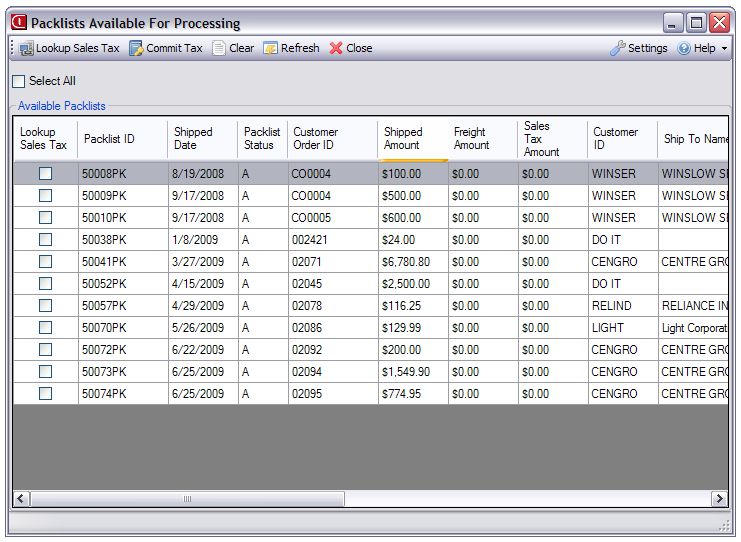 |
(Click to enlarge)
GL Account Mapping
Tax lines are recorded to the correct GL account by a ship-to state to service charge mapping logic. We take the two letter abbreviation for the state (for example "OH") and look for a service charge that starts with this abbreviation followed by a dash (for example "OH-SALESTAX"). The revenue account ID on the service charge is specified as the GL revenue account ID on the customer order / packlist line.
CCH Options
CCH does the majority of the legwork when it comes to implementing complex sales tax rules. Using their easy to use online portal, you can maintain the product code to tax product category mappings, states you charge sales tax in, and freight category mappings.
Screenshots