ERP Compatibility
Infor® VISUAL® Manufacturing ERP / Infor® VISUAL® Enterprise ERP / Infor® 10 ERP ExpressPricing
Please contact us for pricingDisclaimer
VISUAL is a registered trademark of Infor.Enhanced Purchase Requisition Add Parts Functionality
The Enhanced Purchase Requisition customization for Infor VISUAL® Manufacturing ERP / Infor 10 ERP Express supplements the ‘Add Purchase Parts from EM/WO/Project…’ feature in the Purchase Requisition module by automatically removing lines that are either (1) stocked parts, (2) requirements from legs that are not released, or (3) are already fulfilled on another Purchase Requisition or Purchase Order.
Description
Operation
In order to use this customization you will enter your Purchase Requisition as usual, utilizing the 'Add Purchase Parts from EM/WO/Project...' feature to pull in information from a given work order:
Now upon saving the Purchase Requisition, an OnAfterSave macro is going to fire that will remove any lines with any of the following:
- The 'Stocked' flag in Part Maintenance is checked.
- The leg to which the requirement is attached is not released.
- There is already another Purchase Requisition or Purchase Order linked to the given requirement.
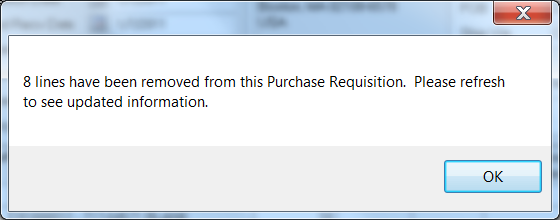
If any lines are removed with the macro the end user will be notified and they will need to refresh their screen in order to see the changes:
Screenshots